VMware vSphere

 View Only
  • 1.  Cannot delete network

    Posted Mar 19, 2020 01:51 PM

    Hello,

    I'm facing an issue where I can't delete a standard network.

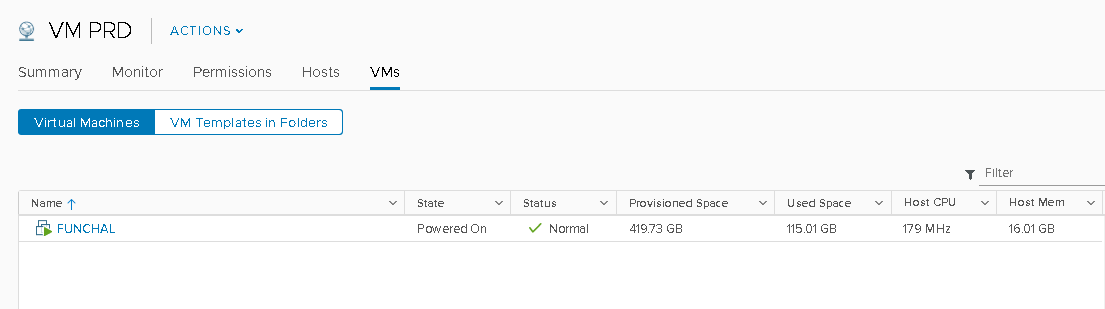
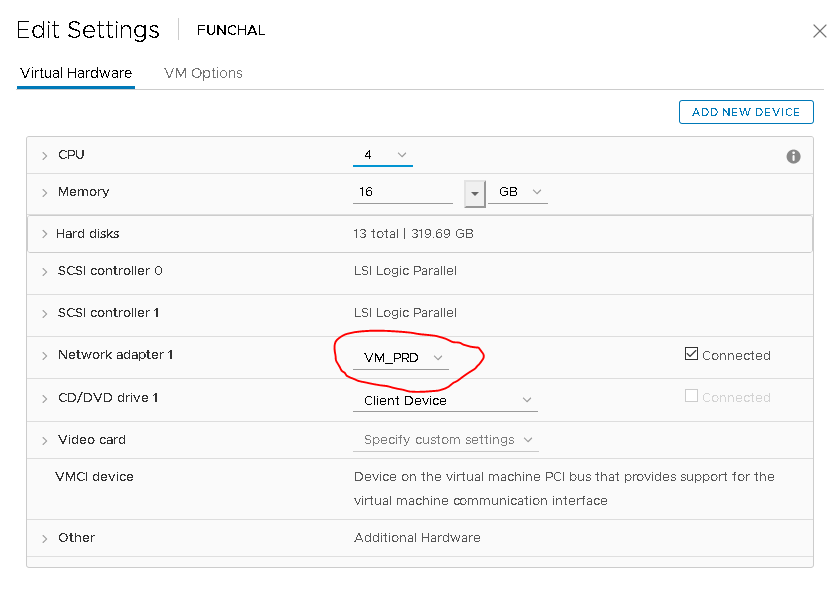
    This network is not attached to any host anymore but one VM is reported using it.

    Anyway this is false (see screenshots). How can I remove/delete this network ?


  • 2.  RE: Cannot delete network

    Posted Mar 19, 2020 01:51 PM

    Check your templates. One is probably assigned that network.


  • 3.  RE: Cannot delete network

    Posted Mar 19, 2020 01:55 PM

    There is no template associated with this network


  • 4.  RE: Cannot delete network
    Best Answer

    Posted Mar 19, 2020 01:57 PM

    Check snapshots on all VMs and remove. If you had a snapshot that referenced this, it'll show like it does.


  • 5.  RE: Cannot delete network

    Posted Mar 19, 2020 02:03 PM

    The network was indeed locked by a snapshot. Thanks for your help.


  • 6.  RE: Cannot delete network

    Posted May 08, 2026 10:42 AM

    Thank you, 6 years old post and still valid

    -------------------------------------------


  • 7.  RE: Cannot delete network

    Posted Apr 03, 2025 12:35 PM

    Legend - This has been bugging me for days!


  • 8.  RE: Cannot delete network

    Posted 29 days ago

    Hi @Malcolm Spiller 

    1. The VM is showing as Powered on, login to ESXi host directly and check if the VM's or stale entry of VM is showing or not.
    2. Login to ESXi host directly and check if the VM is showing in host also or not.
    3. Restart the Management services on all ESXi hosts which has VM-Prod standard port.
    4. Restart vCenter services and check.

    Hope This will help you

    Regards

    Noor E Alam


    ------------------------------
    nalam
    ------------------------------


  • 9.  RE: Cannot delete network

    Posted Mar 19, 2020 01:56 PM

    First you need to remove the port group from VM which showing connected. Once you remove you are able to delete the port group.