VMware HCX

 View Only
  • 1.  HCX site pairing

    Posted Aug 25, 2025 06:34 AM
    Edited by 9990374530 Aug 25, 2025 06:35 AM

    I am just trying to setup an HCX site pairing but getting an error as below:
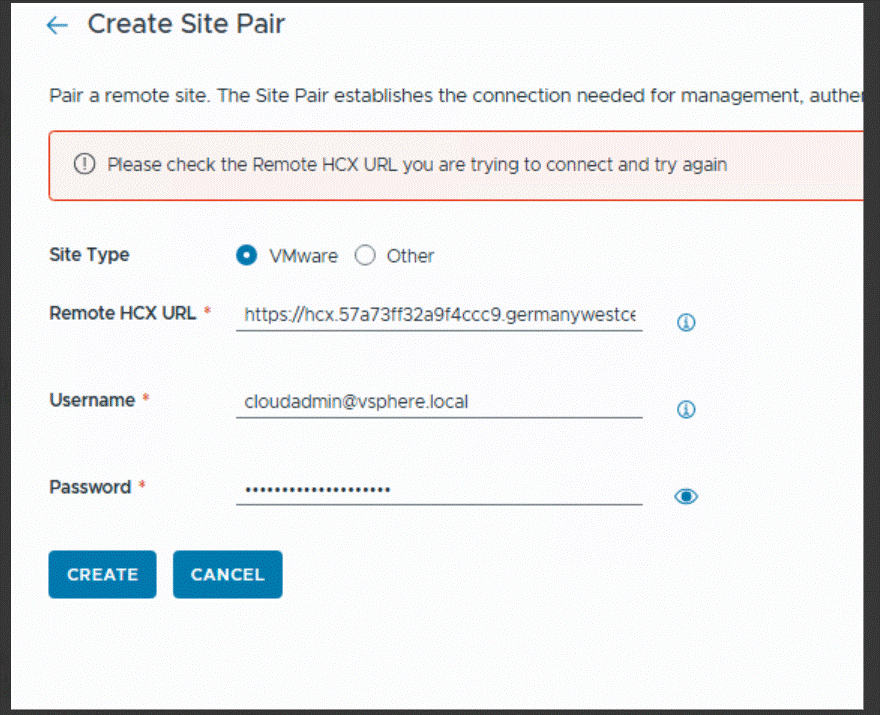
    Troubleshootiong done:

    1.        SSH is not enable on hcx manager so I made a test-netconnection -port 443 on that ip from another machine in that network segment with windows.
    2.        Tried with remote HCX URL and IP
    3.        I have followed below document for the AVS deployment in single region

    https://learn.microsoft.com/en-us/azure/cloud-adoption-framework/scenarios/azure-vmware/single-region-virtual-wan-global-reach

    Any other step that I might need to check otherwise I will power off the current  HCX manager and redeploy newone.


    -------------------------------------------


  • 2.  RE: HCX site pairing

    Posted Dec 24, 2025 08:25 AM

    Hello There,

    In case you still need assistance with this issue, kindly check below 

    1. You have tried to perform site pairing with both FQDN & IP of remote HCX and still it doesn't work means it is not DNS issue
    2. From your point about "I made a test-netconnection -port 443 on that ip from another machine in that network segment with windows", I couldn't understand if the test was successful as in TCP port 443 from local to remote hcx is open or not? Also, kindly take source machine as your local HCX machine from where you are trying to initiate the site pairing.
    3. Is this local HCX supposed to use a Proxy Server. In that case, even if you opened port 443 on the firewall for a Direct Connection, but HCX will ignore that and will try to send the traffic to the Proxy instead.
    4. Based on the above suggestions, after any change performed on HCX, kindly restart app and web service via hcx:9443 URL
    -------------------------------------------